Chat
Per-workspace chat panel with real-time messaging. All workspace members see messages instantly via WebSocket. Click the Chat tab to open.
Note
Chat is per-workspace only — there are no direct messages (DMs) between users. Use separate workspaces for private conversations.
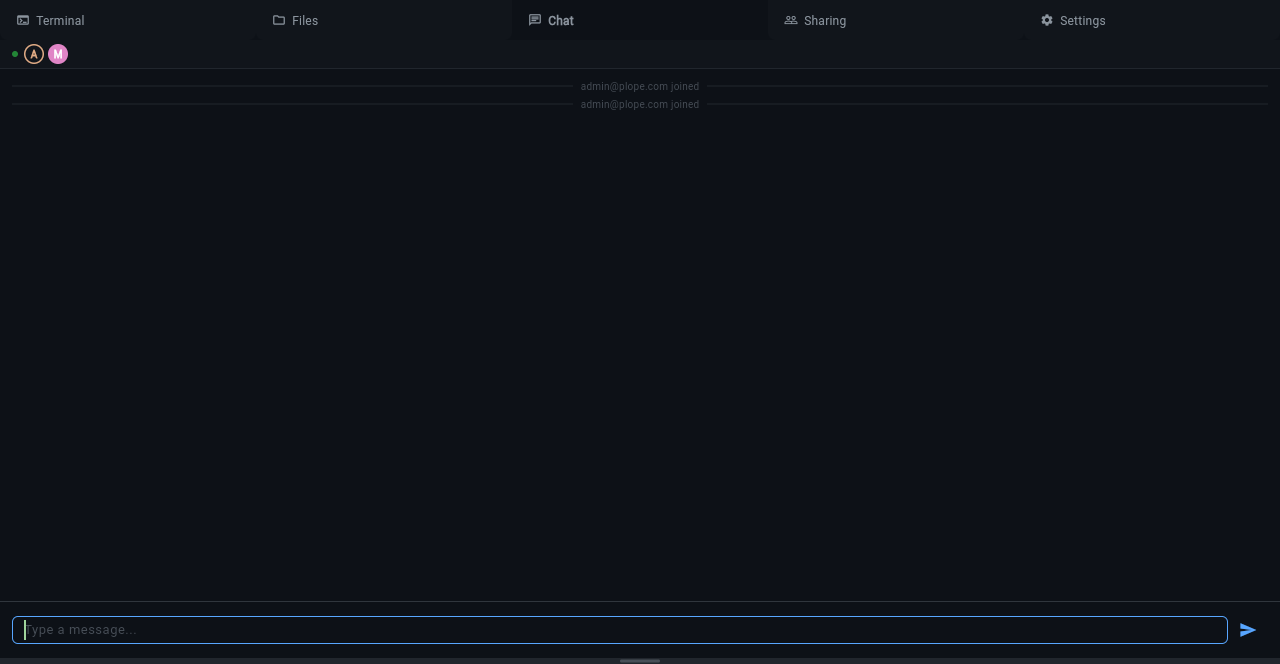
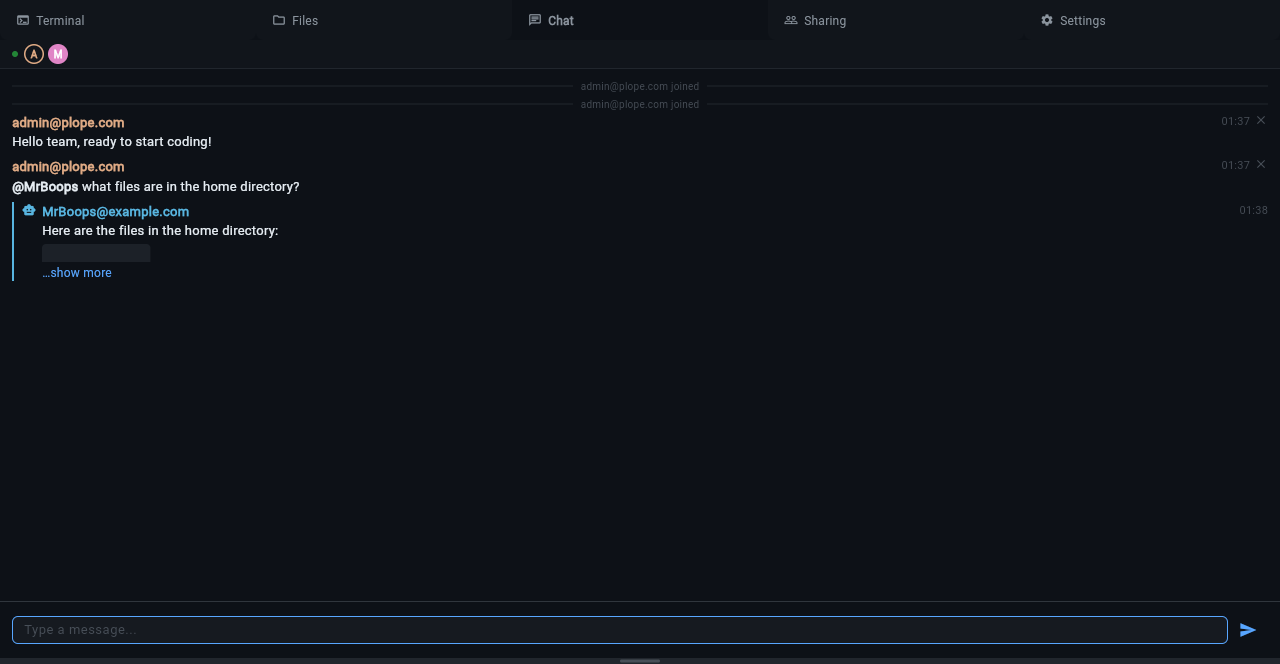
Sending Messages
Type in the input field at the bottom and press Enter to send. Messages are rendered as Markdown — code blocks get syntax highlighting, links are clickable, and inline formatting (bold, italic, code) works.
- Shift+Enter inserts a newline (multi-line messages)
- Up/Down arrows recall previously sent messages
- Ctrl+A/E/K emacs-style editing in the input field
@Mentions
Type @ followed by a workspace member's email to mention them. Tab
completion suggests matching members. Mentions are stored and the mentioned
user is notified on their next connection.
AI Agent (@clanker)
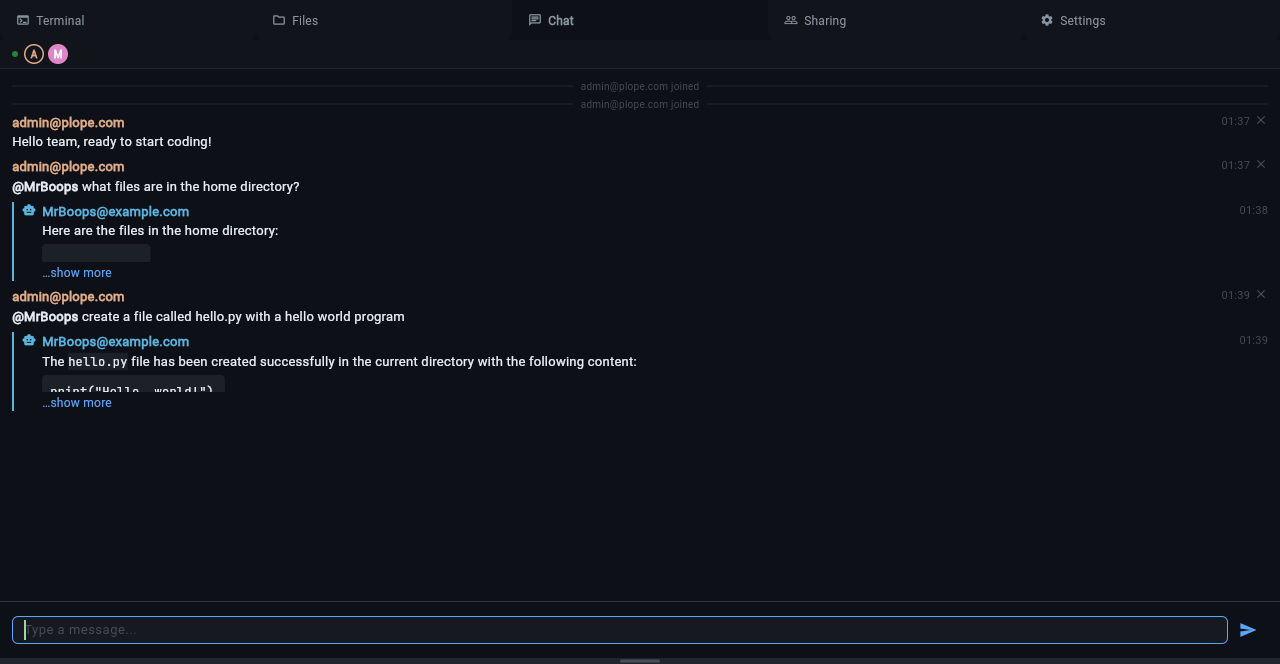
Every workspace has an AI agent named clanker that can answer questions about the workspace, run commands in the terminal, and create or modify files.
To interact with the agent, mention it in chat:
The agent runs inside the workspace container with full access to the terminal and filesystem. It can:
- List and read files
- Create and edit files
- Run shell commands
- Answer questions about the project
What the agent is (and isn't)
The chat agent is a fixed, built-in assistant scoped to a single workspace. It is not a coding-agent harness you configure or extend:
- No tool calling. It has no pluggable tool interface. The
filesystem and terminal access above is what
piprovides as part of its standard operation, not a configurable tool set. - No custom skills or prompts. You cannot add skills, instructions, or system prompts to the chat agent. Its system prompt is fixed by Klangk. (For a full, extensible agent you can drive yourself with your own skills and prompts, run your own agent in a terminal instead — see AI coding harnesses.)
The chat agent also has no direct access to the chat history stored in
Klangk's database — it cannot read what humans have said to one another
in the chat panel. On each @clanker mention it receives, at most, a
narrow slice of context: messages from other participants posted since
the agent's last response (capped, and with no timestamps). Pi's own
multi-turn memory covers only the back-and-forth between the mentioning
user and the agent.
The practical upshot: the agent cannot summarize or answer questions about the human-to-human chat discussion as a whole. Asking it to "summarize the conversation so far" or "what did everyone decide earlier" will not work — it simply does not have that information. It is best suited to direct, self-contained requests: "write a script that does X", "what's in this file", "run the tests".
Follow-up Conversations
After an @clanker mention, your subsequent messages automatically route to the agent — you don't need to @mention it again. The conversation continues until another user speaks (interjection) or you @mention someone else.
Configuration
The agent requires an LLM backend. Set these environment variables:
KLANGK_LLM_BASE_URL— OpenAI-compatible API endpointKLANGK_LLM_MODEL— model name (e.g.gemma4:31b)KLANGK_LLM_API_KEY— API key (optional, depends on provider)
Without these, the agent is unavailable and @clanker mentions are ignored.
Agent Identity
The agent's handle and email are configured via environment variables and seeded into the database on first startup:
| Variable | Default |
|---|---|
KLANGK_AGENT_HANDLE |
clanker |
KLANGK_AGENT_EMAIL |
clanker@example.com |
After seeding, the agent identity is read from the database. Changing these env vars and restarting will update the agent's record in the database. The agent user cannot have a password and cannot log in via credentials.
Disabling the agent
Set KLANGK_AGENT_DISABLED (1/true/yes) to prevent the chat
agent's pi --mode rpc subprocess from starting. When set, the
subprocess is never spawned, so the agent never comes online.
| Variable | Default | Effect |
|---|---|---|
KLANGK_AGENT_DISABLED |
(unset) | Set to 1/true/yes and the chat agent's pi --mode rpc subprocess is not started. Read each time it would start. |
@mention autocomplete suggests only users who are present (a
@mention is a synchronous act delivered to currently-connected sockets;
there's no async delivery for offline members). Because the agent's
presence is driven by whether its subprocess is alive, a disabled agent
is simply never suggested — it disappears from autocomplete with no
special-case gate. (Manually typing a full-handle @clanker would still
route to the agent and surface the refused-to-start error, but the
autocomplete affordance for it is gone.)
This is a global setting that affects every workspace; toggling it takes effect on the next subprocess start (no server restart needed for the start refusal itself). Per-workspace control is tracked separately in #1142 (and depends on the per-workspace settings infrastructure, #864).
Message Types
- User messages — sent by workspace members, shown with email and timestamp
- Agent messages — sent by clanker, shown with a robot icon in cyan
- System messages — join/leave notifications, centered and muted
Message Deletion
Click the ✕ next to your own message to delete it. Deleted messages are soft-deleted — the text is replaced with a placeholder but the message entry remains in the history.
Container-to-Chat API
Processes inside the workspace container can post messages to chat via:
This is how the AI agent sends its responses. The endpoint is authenticated via the workspace JWT and restricted by nginx IP ACL to container traffic only.