Auto-Start
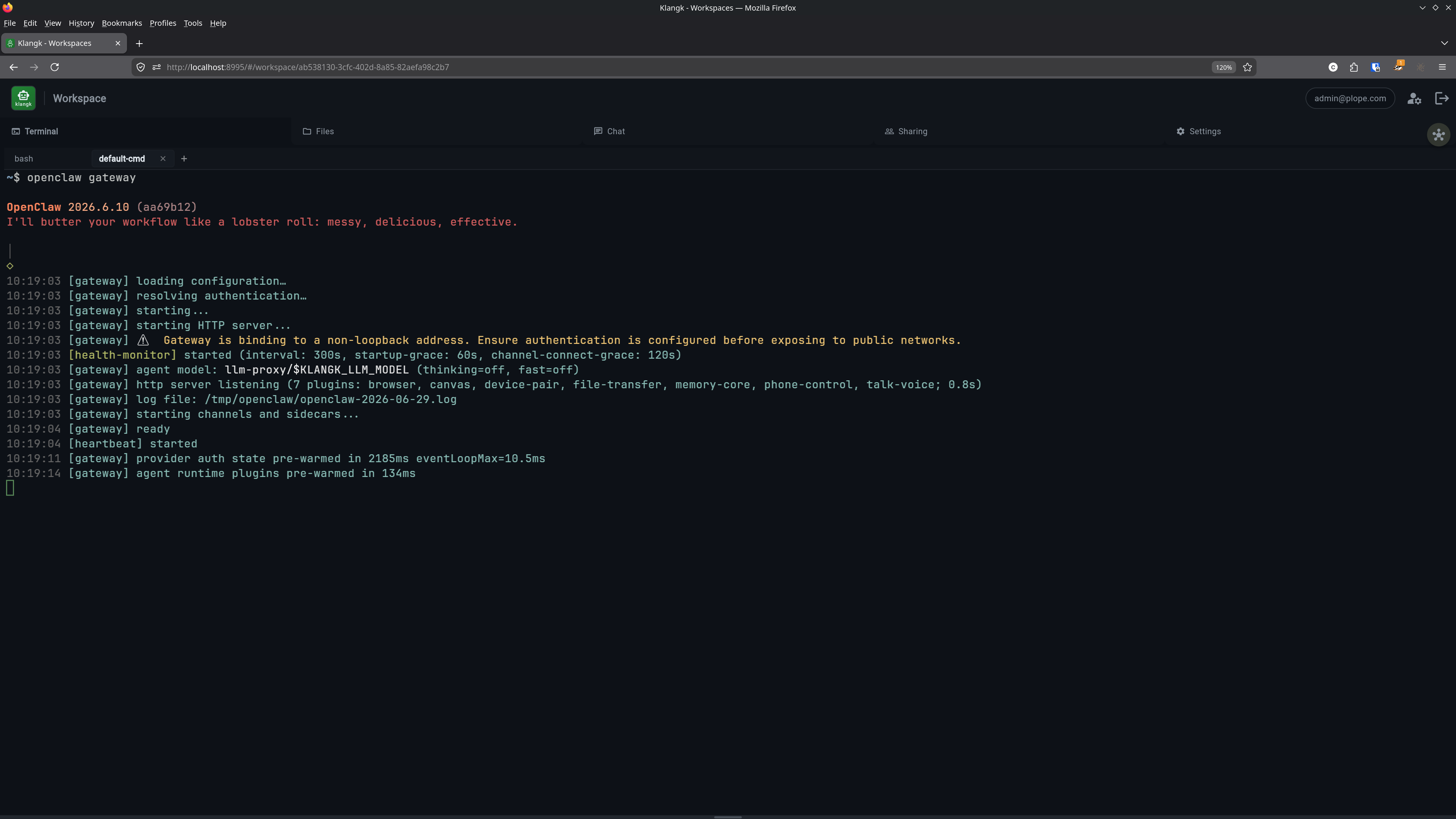
Workspaces can be configured to start their containers automatically when the Klangk server starts. This is primarily useful for service workspaces — workspaces that run a long-lived process via Service Command and should be available immediately, without waiting for a user to connect.
Enabling auto-start on the server
Auto-start is disabled by default. To allow workspaces to use it,
set the KLANGKD_ALLOW_AUTOSTART environment variable:
When this is not set, the auto-start option is hidden in the web UI, CLI, and API. Existing workspaces with auto-start enabled will not start on boot.
Configuring a workspace for auto-start
Web UI
Enable auto-start from the workspace Settings tab.
CLI
# Enable during creation
klangk create my-service --auto-start

# Enable on an existing workspace
klangk edit my-service --auto-start

# Disable
klangk edit my-service --no-auto-start
On a server without KLANGKD_ALLOW_AUTOSTART, --auto-start is
refused up front (before any request is sent) with a message naming
the setting; --no-auto-start always works. The sandbox config's
auto-start: true needs the server flag too — without it the sandbox
create fails with the server's auto-start error.
Sandbox config
In .klangk-sandbox.yaml:
How it works
When the Klangk server starts, after initializing the database and
cleaning up orphaned containers, it queries all workspaces with
auto-start enabled and starts their containers. The shared home
(/home/klangk) is created and populated from the image skeleton
before the service command's first login shell — and before any
member's shell — so a brand-new workspace boots correctly with no user
ever having connected. If a workspace also
has a service command, the command runs in the
workspace's service-cmd terminal window — so the service is already
running by the time any user connects. Auto-started containers are
pinned alive (they do not idle out between connections).
Users connect later with klangk shell and see the service output in
the service-cmd tab. They can open another tab for a shell alongside
the running service.
Typical setup
A service workspace usually combines auto-start with a default command, and often a health check to confirm the service is actually serving:
workspace:
  service-command: openclaw gateway
  auto-start: true
health-check: curl -sf http://localhost:8080/health
This gives you:
- Server starts → container starts →
openclaw gatewayruns - Health check confirms the gateway is responding — see Health Check
- User runs
klangk shell my-service→ sees gateway output - User runs
klangk shell my-service shell→ gets a bash prompt in a separate tmux window - Ctrl+C in the gateway window stops it; up-arrow + Enter restarts