Authentication
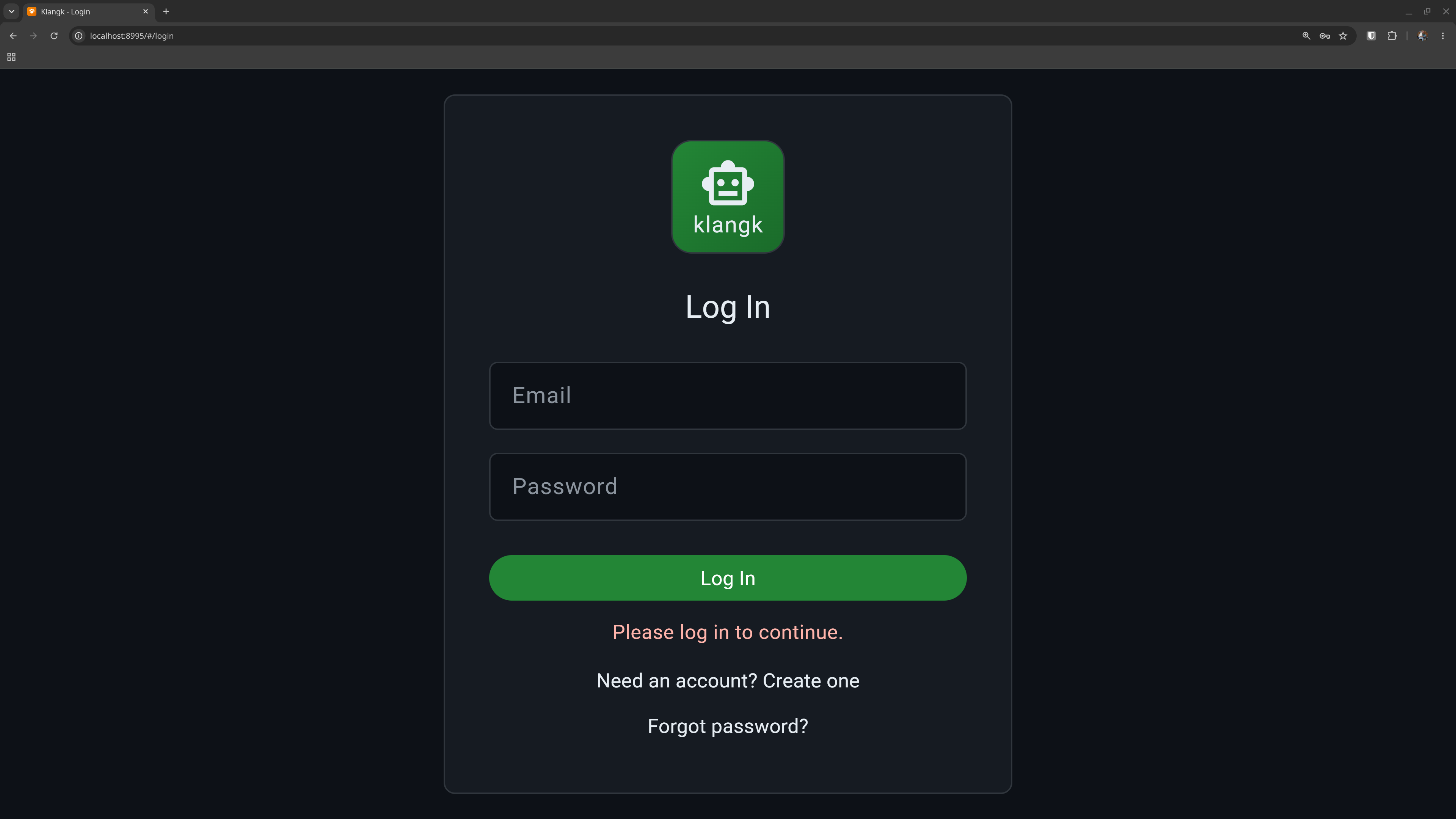
Klangk supports two ways to log in: email/password accounts and
single sign-on (SSO) via OIDC providers like Keycloak, Okta, or
Azure AD. You can use either or both. There is also a no-login
local-dev mode (KLANGKD_AUTH_MODES=none) that auto-logs you in
as the seeded default user with no password — see
Auth Modes.
Email and password
With KLANGKD_AUTH_MODES set to password (or both), klangk uses
email/password accounts. New users register with an email address, receive
a verification link, and set a password. Passwords are hashed with
PBKDF2-HMAC-SHA512 (600,000 iterations) via Python's hashlib, so hashing
routes through the OpenSSL the container provides — FIPS-approvable when
the FIPS provider is active (FIPS).
Registration
By default, anyone can register. Set KLANGKD_DISABLE_REGISTRATION
to block new signups and hide the registration link.
After registering, users must verify their email before they can log in. The verification email contains a signed link that activates the account and logs the user in automatically.
If the email doesn't arrive, click Resend verification email on the login page (rate-limited to once per minute).
Password reset
Click Forgot password? on the login page. A reset link is sent to the email address (the response is always "sent" regardless of whether the account exists, to prevent email enumeration). The link expires after 1 hour.
Email delivery
Verification and password-reset emails are sent via SMTP if configured
(KLANGKD_SMTP_HOST, KLANGKD_SMTP_PORT, etc.), or via the local
sendmail binary otherwise. See
Environment Variables for the full list
of SMTP settings.
Single sign-on (OIDC)
Klangk can authenticate users through one or more OIDC identity
providers. When configured, the login page shows a button for each
provider alongside the email/password form (or instead of it, if
KLANGKD_AUTH_MODES is set to oidc).
Users are created automatically on their first SSO login — no separate registration step. If a user already has an email/password account with the same address, it is linked to their SSO identity.
The CLI (klangk login) supports OIDC too: it opens a browser for
the SSO flow and receives the token via a temporary localhost callback.
See OIDC Configuration for setup instructions.
Account self-service
Logged-in users can change their own password, handle, and email without an admin. All three are available from:
- the web UI Settings page, and
- the CLI
klangk accountgroup (show,passwd,handle,email).
Handle and email changes require your current password to confirm; a password change requires your current password. Validation is enforced the same way on every surface (and again, authoritatively, on the server):
- handle — lowercase,
[a-z0-9._-]+, at most 32 characters. Changing it affects how others see you — and, on per-handle-home workspaces, your terminal home directory (/home/<handle>, see Handles) — so the CLI confirms before applying it. - email — must be a well-formed address. The account is marked unverified and a verification email is sent to the new address; verify it to fully activate the change. The address must not already be in use.
- password — must meet the server's minimum length
(
KLANGKD_MIN_PASSWORD_LENGTH, default 8).
Because the session JWT's subject is your user id (not your email), an email change does not invalidate your current session — the CLI simply re-files its cached token under the new address.
Accounts with no password (OIDC-only users, whose credentials are managed by their identity provider) cannot use these routes — change your password, handle, and email through your IdP instead.
Sessions
Klangk uses JWT tokens for sessions. Token lifetime defaults to 24
hours (configurable via KLANGKD_ACCESS_TOKEN_HOURS). Tokens are
automatically refreshed before they expire, so long-running sessions
stay active without requiring re-login. Logging out blocklists the
token immediately.
Your session survives page refreshes. If you navigate to a workspace URL while logged out, you'll be redirected to the login page and returned to your original URL after logging in.
Token delivery policy
Session tokens (JWTs) are never placed in URLs. URLs leak into browser
history, Referer headers, and reverse-proxy/server access logs, so a
session credential riding a URL is a leak waiting to happen. The
delivery rules are:
- API calls carry the session JWT in the
Authorization: Bearerheader. - WebSocket connections carry it in the handshake's
Sec-WebSocket-Protocolheader (the browser WebSocket API cannot setAuthorization, so the client offers thebearersubprotocol plus the token, and the server echoesbearer). The token never rides the?token=query string. The workspace sidecar authenticates its socket with theAuthorizationheader it already uses for HTTP. - OIDC login completion redirects a one-time, 60-second login code
(
/#/oidc-complete?code=…for the web,?code=…on the CLI's localhost callback). The completer redeems it viaPOST /auth/oidc/exchangefor the session token — the JWT itself never rides a URL. - Email links (verification, password reset, invitations) are the
one place a token must travel by URL, because email is the delivery
channel. These tokens are single-purpose, one-time, and short-lived:
verification tokens are bound to the address they were minted for
and are consumed by the first redemption, an email change, or
72 hours (a stale link only matches again in the narrow case of the
account changing its address away and back while the link is still
unexpired); reset tokens are bound to a digest of the current password
hash (the first successful reset consumes every outstanding link) and
expire after 1 hour; invitation tokens are consumed when the
invitation is accepted. Links use the URL fragment (
#/verify?…), which browsers do not send to servers or inRefererheaders. Redeeming a verification token sends it in thePOSTbody, not the query string. - Logs never contain raw tokens: the register log line records a SHA-256 prefix of the verification token, and WS URLs carry no token at all.
Brute-force protection
By default, Klangk locks accounts after repeated failed login
attempts (5 failures within the counting window). The same lockout
covers the credential check on POST /auth/resend-verification —
failed password guesses there count against the account's login
counter, and a locked-out account cannot use it either. Failed
credential checks cost the same whether or not the account exists,
so response timing cannot be used to enumerate accounts. To tune or
disable the lockout, set:
| Variable | Default | Description |
|---|---|---|
KLANGKD_LOGIN_LOCKOUT_FAILURES |
5 |
Failed attempts before lockout (0 = off) |
KLANGKD_LOGIN_LOCKOUT_WINDOW |
300 |
Time window in seconds for counting |
KLANGKD_LOGIN_LOCKOUT_DURATION |
900 |
How long the lockout lasts (seconds) |
Concurrent session limits
Set KLANGKD_MAX_SESSIONS_PER_USER to cap how many concurrent
login sessions a user may have (default 0 = no limit). Each login
(password, OIDC, verification, password-reset auto-login, invite
acceptance) counts as one session; refreshing a token keeps the same
slot. When a new login pushes the user past the cap, the oldest
session is revoked via the token blocklist — its next HTTP request
gets 401 Token has been revoked and its next WebSocket connect is
rejected with code 4001, logging that client out. Sessions whose
token has already
expired are purged lazily and never count toward the cap.
Concurrent-logon auditing
Every session records the workstation it was established from: the
effective client IP (behind a trusted reverse proxy this is the real
client from X-Real-IP/X-Forwarded-For; a direct caller cannot
spoof it) and the User-Agent string. When a login is concurrent
with an active session from a different workstation, klangkd
writes an audit record to the server log:
audit: concurrent logon from different workstations: user=<id> email=<email> new session from 198.51.100.9; concurrent with session(s) from 203.0.113.7
This is the signal to review when credentials may be shared with (or stolen by) a second machine — especially useful when no session cap is configured. Sessions with an unknown IP (created before the feature, or from clients whose address cannot be resolved) are never reported as different, and a user logging in twice from the same machine is not audited.
Admins can query a user's active sessions at any time — see
GET /api/v1/users/{id}/sessions
in the API reference. Each row shows when the session was established,
when it expires, when it was last seen active, and the workstation it
came from.
Behind a reverse proxy, the workstation audit works only when the proxy
chain forwards the real client IP (X-Real-IP / X-Forwarded-For plus
KLANGKD_TRUSTED_PROXY_CIDRS). If that is misconfigured, every session
records the proxy's address and no audit records are ever written — see
Behind a Reverse Proxy: concurrent-logon auditing
for how to verify the setup.
Session workstation binding (replay protection)
Session JWTs are bearer tokens: by default (off), anyone who captures
one can use it until it expires. Set KLANGKD_SESSION_WORKSTATION_BINDING to bind
each session to the workstation it was established from, so a captured
token cannot be replayed from another machine:
| Mode | Behavior |
|---|---|
off |
No binding (the default) — any token holder may use it until expiry. |
ip |
Requests must come from the same network as the session's establishment. |
strict |
Like ip, and the User-Agent must also match. |
Every authenticated HTTP request, token refresh, and WebSocket connect
is checked against the session's recorded workstation (the effective
client IP, proxy-trust-aware; two IPv6 addresses inside one /64 count
as the same network, so address rotation does not kill roaming
clients). A mismatch means the token left the machine it was issued
to: the request is rejected (401 / WebSocket close 4001), the
session is revoked, and an audit record names both workstations:
audit: session binding violation: jti=<id> issued to ip=198.51.100.7 ua=klangk-cli/1.0, presented from ip=203.0.113.9 ua=klangk-cli/1.0; session revoked
The revocation is also recorded in the structured audit stream (#3205)
as a session.revoke row (detail reason: workstation-binding, the
bound workstation in the detail, the presenting one as the row's
source IP), queryable via
GET /api/v1/events/audit
by holders of manage-events.
The legitimate client shares the token with the thief, so it is logged out too and must re-authenticate — that is the point: a replayed token dies the moment it is used from elsewhere. Sessions with an unknown recorded IP (rows created before the workstation feature, or clients whose address cannot be resolved) are never rejected. The setting is reloadable on SIGHUP; arming it applies to existing sessions immediately.
Trade-offs to weigh before arming ip/strict: a user whose network
address legitimately changes mid-session (laptop moving between Wi-Fi
and tethering, VPN toggles) is logged out and must log in again; in
strict mode a browser update changes the User-Agent with the same
effect. Users behind the same NAT as an attacker are not distinguished
by ip mode — binding narrows the replay window to the same network,
it does not eliminate same-NAT replay. Binding judges only what the
workstation resolver can see: if a deployment resolves no client IPs
at all (e.g. KLANGKD_REJECT_PROXY_HEADERS set while every client
arrives as an unresolvable peer), every presentation reads as unknown
and binding never rejects — verify the proxy chain forwards the real
client IP (see
concurrent-logon auditing) when arming
binding.
Idle session timeout
Tokens expire by age, but clients refresh them proactively, so age
alone never logs out a session nobody is using. Set
KLANGKD_SESSION_IDLE_TIMEOUT_MINUTES (default 0 = off) to terminate
sessions after inactivity instead:
- Activity is an authenticated HTTP request or an inbound WebSocket frame — including the web client's 60-second heartbeat, so a browser the user is actually watching stays logged in. A token refresh is deliberately not activity (it is the enforcement seam), so a client that only refreshes cannot idle past the window.
- When the window is armed, token refreshes are refused for sessions
idle past it (
401 Session timed out due to inactivity, token blocklisted), and a quiet WebSocket is closed by the server with code4001(client logout). - Access-token lifetimes are capped at the window, so an idle client surfaces at its next refresh within the window plus one refresh interval instead of coasting on a long-lived token.
admins-group members get the shorter privileged window — the lesser of this setting andKLANGKD_PRIVILEGED_SESSION_IDLE_TIMEOUT_MINUTES(default10;0turns the split off, giving admins the general window).
The window is read live at issue/refresh/sweep time, so a SIGHUP reload
applies immediately. Arming it on an existing deployment judges sessions
created before the feature by their issuance time (the session's
last_seen_at is backfilled from created_at) — idle ones terminate on
their next refresh; active ones get stamped by their next request. Note
the transition cost: tokens minted while unarmed are not recapped, so
a pre-arm session only surfaces at its next refresh — up to its residual
KLANGKD_ACCESS_TOKEN_HOURS lifetime away. To cut that window short,
force a re-login (revoke sessions via the admin UI) when arming, or wait
out one full token lifetime after arming.
Step-up (sudo mode) for privileged operations
Once an admin is logged in, the ordinary bearer token authorizes the
whole session — so a hijacked or momentarily unattended admin session
could otherwise perform destructive operations with no fresh proof of
credential knowledge. Set KLANGKD_STEP_UP_WINDOW_MINUTES (default
0 = off; 15 is the recommended hardening value) to require
reauthentication ("step-up") before privileged writes:
- Gated operations are the admin write surface — user
management (create/edit/delete/unlock), group management,
invitations (send/revoke/resend), raw ACL rewrites
(
PUT /acl/resource), server stop/recycle schedules, volume deletes — plus the takeover-class writes on a workspace you do not own: deletion, the raw ACL rewrite (PUT /workspaces/{id}/acl, which can grant*and Deny the owner), ownership transfer, and role assignments (theownersrole group carries the*wildcard, so minting an owner is the same takeover). Listings and other reads are never gated, and writes to your own workspace (including deleting, resharing, transferring, or changing roles on it) stay on the plain permission check — self-service, bounded by the grants the owner or an admin chose. - A gated write is refused with a machine-readable
403 {"error": "step_up_required"}until the session's owner confirms their password atPOST /api/v1/auth/step-up. The confirmation endpoint has the same lockout accounting as login, so it is not a free password-guessing oracle for an attacker holding a hijacked session. - Every gate outcome lands in the structured audit log
(
audit_events):step_up.refused(a gated write was refused — the session-hijack signal this feature exists to surface),step_up.confirmed,step_up.failed(a wrong password at the confirmation endpoint), andstep_up.exempt. - The confirmation is per session: it is stamped on the calling session's row, survives token refresh (a refresh is the same session continuing), dies with logout or revocation, and never unlocks a second session of the same user. Inside the window every gated write passes; outside it the next one prompts again.
- OIDC-managed accounts (no klangk password) cannot confirm a
password; they are exempt from the gate, and each exempt pass is
recorded as a
step_up.exemptaudit event for operators reviewing SIEM output. Deployments that arm the window and want full coverage should give their admins local passwords.
The clients handle the prompt automatically: the web client shows a password dialog (re-prompting on a wrong password, up to three attempts), confirms, and retries the refused request; the CLI prompts on the terminal the same way. The window is read live at check time, so a SIGHUP reload applies immediately (disarming it mid-session makes the next write pass without a prompt).
Dormant-account auto-disable
Accounts that go unused for too long are disabled automatically. Set
KLANGKD_INACTIVITY_DISABLE_DAYS (default 35; 0 disables the
sweep) to change the window. An account counts as active when it makes
any authenticated API request — klangkd stamps a per-user
last_activity_at (throttled to one write per minute) on the token
auth path, so a client that stays logged in via token refresh stays
counted even though it never logs in again. Logins and (for
never-used accounts) the creation date are also counted as activity —
the sweep judges on the newest of the three.
The sweep runs at startup and hourly. When it disables an account,
login (password, OIDC, and no-auth local), token refresh, and every
authenticated API request fail with 403 Account disabled; the
WebSocket rejects new connects for that user. Disabling an account
also closes its live WebSocket connections (close code 4001,
which logs the client out) — admin disable and the inactivity sweep
both do this. A disabled account is also sent no password-reset
email (the reset endpoint refuses it anyway; the forgot-password
response stays "sent" so the disabled state is not revealed).
Two classes of account are never auto-disabled:
- members of the
adminsgroup — an idle deployment must not lock out every operator, and - the system agent (it does not authenticate).
A disabled account keeps all of its data; an admin re-enables it via
PATCH /api/v1/users/{id} with {"disabled": false} (admins
cannot disable their own account through the same endpoint).
GET /api/v1/users reports each user's disabled,
last_login_at, and last_activity_at fields. The setting is
reloadable on SIGHUP.
Consent banner
If KLANGKD_LOGIN_BANNER is set, users see a consent page before
the login form. They must accept before proceeding. This is useful
for legal notices or terms-of-service acknowledgements. See
Environment Variables for details.
DPoP session-token binding (XSS theft protection)
Web sessions bind their JWT to a key the browser refuses to export
(#3218). The web client generates a WebCrypto ECDSA P-256 keypair
whose private half is held non-extractable in IndexedDB, and every
session mint is born bound: the SPA's minting requests (login,
register, verify, reset, invite, local) carry the public half
(base64url JWK in the Klangk-Binding-Jwk header), so the token
carries the key's RFC 7638 thumbprint in cnf.jkt from the first
byte. OIDC logins ride the key on the login URL into the state
cookie (a top-level navigation cannot carry headers), and the
callback mint is born bound the same way. Every authenticated
request (a DPoP header) and every WebSocket connect (a one-shot
dpop query parameter) must present a fresh proof signed by that
key: a stolen bound token is useless without it, and the key cannot
be read by any script — an XSS can act as the user while the tab is
live, but cannot steal a credential that outlives the reload. With
born-bound mints there is no unbound window at all — nothing to
read, sabotage, or bind-first with a substituted key (#3230).
The bind deadline is the backstop. On the header paths a bare
marker without a usable key is rejected with 400, so stripping the
key from the SPA's request yields a failed login, not a weaker
token. On the OIDC path the key rides the login URL; a web flow
whose navigation lost it is refused at the callback, and a web
build that cannot bind at all (plain HTTP to a remote host) rides
an explicit none so its session is minted unmarked and keeps the
pre-#3230 behavior. A token that nonetheless carries a wbd
claim — mint time plus KLANGKD_WEB_BIND_GRACE_SECONDS, default
300 seconds, 0 disables — is refused everywhere once past the
deadline while still unbound: every API request, token refresh,
bind call, and WebSocket connect answers 401, and every established
socket (main and consent-decider alike) is armed to close at the
deadline, not at the token's natural expiry. The deadline is a
signed claim and survives refresh and bind swaps unchanged — and a
rotation re-arms the live sockets for the replacement token — so
no rotation can reset it. The re-login re-enters the bind flow
under attacker-free conditions, or surfaces the sabotage. A
transient bind failure on the web is retried every 30 seconds
inside the window; a failure that outlives the window costs a
re-login, not the session's secrecy. CLI and TUI clients are always
unmarked and unaffected — their tokens keep working indefinitely.
What remains deliberately out of model: a script able to rewrite
the minting request or login navigation itself (swap or strip its
binding key, or force the none marker) is not stopped by any of
this. On the password flows that script reads the login credentials
out of the same request; on OIDC the credential is the IdP's own
HttpOnly session — but either way a script alive in the page at
login time owns the resulting session, whatever it is minted with.
The controls here bound the attacker who arrives after the
session was minted.
Operational notes:
- Secure context required. WebCrypto (
crypto.subtle) exists only on HTTPS or localhost. A web build served over plain HTTP to a remote host cannot bind and knows it: it stops marking its minting requests, so those sessions keep the unbound, pre-#3230 behavior — the same insecure-transport exposure the whole session already has there. Serve the web client over HTTPS to get the bound posture. - Clock skew matters now. Proofs older (or further ahead) than
PROOF_WINDOW_SECONDS(300) are rejected. A workstation whose clock drifts more than ~5 minutes sees every authenticated request fail with401 Invalid DPoP proof: stale proofand a re-login loop; the remedy is fixing the client clock (the server clock is the reference). - Key loss forces re-login. A bound token whose IndexedDB key is gone (cleared site data, new browser profile) cannot prove possession; the client detects this at startup and drops the session.
- The one-shot proofs are remembered for the freshness window only; a server restart clears that memory (a captured, already-consumed proof could be replayed exactly once, within its window, and only alongside the token itself — the same exposure as the token-in-URL issue tracked in #3201).
- The bind deadline is baked per token. It is read from
KLANGKD_WEB_BIND_GRACE_SECONDSat mint time (reloadable on SIGHUP); sessions minted before a change keep the deadline they were minted with.